Beginnende producer tips!
Elke keer weer de beste tips voor producers!


Geschreven door Richard, leraar Ableton en Maschine bij DJ School Utrecht.
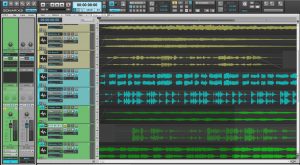
DAW’s: oftewel Digital Audio Workstations. Software om volledige tracks mee te kunnen maken en meestal het hart van de moderne studio. Maar welke ga je gebruiken? Vaak kiezen beginners voor een van de bekendere DAW’s. Niet omdat dit de meest geschikte software voor ze is, maar eerder vanwege het feit dat ze geen idee hebben hoeveel er te krijgen is. Daarom hier een lijst van 20 bekende en minder bekende DAW’s, elk met hun eigen werkwijze en eigen voor- en nadelen. In deze blog ga ik er geen oordeel over geven. Dat mag ieder voor zich bepalen. Kijk eens rustig rond en bepaal dan pas of er een geschikt programma voor je tussen zit.
Magix; in de begindagen berucht vanwege hun Music Maker software. Dit werd vaak als “speelgoed” gezien. Maar het bedrijf heeft ook een paar uitgebreidere DAW’s in huis. Acid Pro was ooit van Sony, maar is inmiddels verkocht en doorontwikkeld door Magix. Veel mogelijkheden en goedkoper dan een heleboel grote spelers in deze markt. Meer info vind je op de website van Magix. Windows only! 30 dagen gratis uit te proberen.
2) Image-Line FL Studio
Inmiddels een grote speler. En niet voor niks. FL Studio kan zich prima meten met de rest. 18 jaar kennis en ontwikkeling zitten er inmiddels in dit pakket. FL staat voor FruityLoops; en die naam wekte bij veel mensen het idee dat het een simpel stuk speelgoed was. Niets is minder waar; dit is een volwaardige DAW! Inmiddels is versie 12 uitgebracht. Meer info op de Image-Line website.
3) Steinberg Cubase Pro
Nog zo’n oude bekende. Van de uitvinder van het tegenwoordig standaard gebruikte VST systeem. Cubase is een zeer professioneel en uitgebreid software pakket. Niet altijd even makkelijk voor beginners. Maar het heeft alles in huis voor een volwaardige produktie. Neem een kijkje op de Cubase website.
4) Apple Logic Pro
Waarschijnlijk 1 van de meest bekende DAW’s ter wereld. Niet voor niks natuurlijk. Dit is de standaard in een heleboel professionele studio’s. Logic heeft naast een enorm scala aan mogelijkheden vooral een heleboel ontzettend goede effecten en instrumenten aan boord. Helaas alleen voor Mac. Momenteel is versie 10 de nieuwste. Meer info op Apple’s Logic pagina.
5) Tracktion
Niet echt bekend bij het grote publiek. Maar daarom niet minder goed. Er is een trial versie beschikbaar, het werkt op Windows, Mac en Linux en naast de nieuwste versie (T7) is er ook een oudere versie beschikbaar die volledig gratis is (T5)! Alle benodigde info kun je op Tracktion’s site vinden.
6) Magix Samplitude Pro
Daar is ie weer. Nog een DAW van Magix. Samplitude Pro X3 is de laatste versie. De Suite versie is de duurste, maar daar krijg je dan wel een enorme hoeveelheid samples en mogelijkheden bij. En niet te vergeten de volledige versie van geweldige audio editing software Soundforge 11 (voorheen ook van Sony). Voor Windows en Mac. Meer info op de Magix Samplitude pagina.
7) Renoise
Renoise is van oorsprong een zogenaamde “tracker”. Voorlopers van huidige DAW software waarbij de patterns van boven naar beneden over je scherm rollen. Een iets andere benadering dan de meeste moderne DAW’s dus. Maar zeker niet minder uitgebreid; Mac, Linux en Windows compatible, kan zowel .au als .vst instrumenten en effecten gebruiken en is ook nog eens goedkoop. Kijk op de Renoise pagina voor meer info.
8) MOTU Digital Performer
MOTU zal bij veel producers vooral bekend zijn vanwege de high-end audio interfaces die het bedrijf maakt. Hun DAW Digital Performer is echter een stuk minder bekend. Versie 9 is de nieuwste en compatibel met Mac en Windows. Neem een kijkje op de Digital Performer pagina voor meer informatie.
9) Apple Garage Band
Bij velen bekend, al was het maar vanwege het feit dat Apple deze software gratis bij haar eigen operating system leverde. Niet het meest uitgebreide en flexibele programma dat er is, maar wel degelijk geschikt als DAW, zeker voor beginners. Relatief simpele layout en beschikbaar voor Mac en IOS. Zie ook de Garage Band pagina van Apple.
10) Avid Pro Tools
Pro Tools is zo’n DAW die in zeer veel high-end studio’s wereldwijd te vinden is, maar gek genoeg bij relatief weinig mensen bekend is. Zeker bij beginners. Gratis trial versie en aanvullende info vind je op de Avid website. Voor Windows en Mac.
11) Cakewalk Sonar
Ook geen kleine jongen, maar weer een stuk minder bekend dan enkele concurrenten. Beschikbaar in meerdere uitvoeringen, Windows only. Trial versie kun je vinden op de Cakewalk Sonar website, plus een heleboel aanvullende info.
12) Cockos Reaper
Ook weer wat minder bekend bij het grote publiek. Maar ook hier weer een behoorlijk uitgebreid pakket. Voor Windows en Mac. En het is nog betaalbaar ook. Inmiddels is er een behoorlijk grote groep gebruikers en heeft het programma zich flink doorontwikkeld. Neem eens een kijkje op de Reaper website voor meer info.
13) Acoustica Mixcraft
Uitgebreide en zeer betaalbare DAW. Alleen voor Windows, helaas. Wat Mixcraft helemaal interessant maakt, is dat het een zogenaamde Performance Panel heeft om clips en loops af te spelen. Vergelijkbaar met programma’s als Bitwig en Live en daardoor ook geschikt voor live performance. Meer info op de Acoustica site.
14) Propellerheads Reason
Zonder twijfel een van de meest uitgebreide DAW’s die je kunt vinden. Zeer visueel: routing van signalen gebeurt door middel van het verbinden van virtuele kabels tussen instrumenten en effecten, zoals je dat ook in een volledige hardware studio zou doen. Het was echter niet het meest gebruiksvriendelijke programma; het kostte tijd om er handig in te worden. Maar dat is door de jaren heen heel erg verbeterd en kan nu zeker tippen aan andere DAW’s. Voor Windows en Mac. Meer info op de Propellerheads website. Ook hier een 30-dagen gratis trial versie beschikbaar.
15) Ableton Live
Inmiddels bij versie 9 aanbeland. Zeker een van de grote jongens tegenwoordig. Belachelijk flexibel en relatief makkelijk om er mee te beginnen. Zoals de naam al impliceert komt het vooral tot z’n recht in live situaties, maar ook om mee te dj-en of gebruik in de studio. En het is nog veel uitgebreider dan de simpele interface doet vermoeden. Beschikbaar in meerdere versies en compatible met Windows en Mac, inclusief gratis trial versie. Alle info vind je op de Ableton site.
16) Bitwig Studio
Ontwikkeld door een team van ex-Ableton ontwikkelaars. De vergelijking met Live is dan ook logisch. Veel soortgelijke mogelijkheden en een herkenbare layout. Heeft enkele geweldige verbeteringen die bij Live ontbreken, maar komt op andere vlakken ook soms tekort. Het blijft echter een zeer uitgebreide DAW die ook in live situaties erg goed te gebruiken is. Neem een kijkje op de Bitwig site.
17) MuTools MuLab
Relatief jong, maar inmiddels een serieuze optie als het om DAW’s gaat. Mac en Windows versies beschikbaar. Zeer betaalbaar ook! Relatief eenvoudige voor wat betreft de interface, maar verrassend flexibel. Verdere info vind je op de MuLab website.
18) Steinberg Nuendo
In tegenstelling tot Cubase is Nuendo meer gericht op de zogenaamde post production, en dan met name voor film en games. Het blijft technisch gezien echter een DAW. Die specialisatie maakt het programma echter wel ontzettend duur in vergelijking met de andere hier genoemde DAW’s. Dat is ook de reden dat het vooral door professionals in de audiovisuele branche wordt gebruikt. Alle benodigde info vind je op de Nuendo pagina van Steinberg.
19) Presonus Studio One
Hoewel Presonus al heel wat jaartjes meegaat is de Studio One DAW relatief nieuw. Maar het is echt zeer de moeite waard. Overzichtelijk, zeer uitgebreid, verkrijgbaar in verschillende versies (waaronder een volledig gratis variant) en voorzien van een paar erg handige extraatjes. Dit gaat een hele grote worden, dat is zeker. Info vind je op de Presonus site.
20) Ardour
Tot slot een DAW die bij maar weinigen bekend is. Niet helemaal terecht. Ardour is “open source”. Dat betekent dat iedereen eraan kan sleutelen om het te verbeteren. Daarnaast een enorm scala aan opties; audio en video bewerking mogelijk, interface is modulair en dus volledig aan je eigen wensen aan te passen, en ook nog eens volledig gratis! Door de open source aanpak is dit echter niet de meest geschikte DAW voor digibeten. Beschikbaar voor Mac, Linux en Windows. Info over Ardour vind je op de website.
Tot slot
Uiteraard is dit nog lang niet alles. Er zijn nog veel meer opties. En dan laat ik het iOS platform nog buiten beschouwing. Mijn punt met deze lijst is vooral dit: er is veel meer dan enkel die paar grote en bekende spelers. En welke je wilt gaan gebruiken is afhankelijk van een heleboel factoren. Zet voor jezelf op een rijtje welke functies je wel of niet wil hebben, wat je budget is en hoeveel waarde je hecht aan support, een grote community, etcetera. Spreekt voor zich dat er over de grotere spelers in deze markt gewoon meer info te vinden is in de vorm van tutorials, forums en aanvullende content. Maar je ziet het: keus genoeg! Misschien zit er wel een geweldige oplossing voor jou tussen. Probeer het gewoon eens uit en maak dan pas een keuze. Onthou dat je ook best meerdere DAW’s kunt gebruiken, of altijd nog over kunt stappen naar iets anders. Het is gereedschap, en of je ermee kunt doen wat je wilt, dat is het enige dat telt.

Written by Richard, teacher in Ableton and Maschine at the Dutch DJ Academy/DJ School Utrecht
DAW options
DAW’s: Digital Audio Workstations. Software to make complete tracks and usually the heart of the modern studio. But which one are you going to use? Beginners often choose a well known DAW. Not because it is the best choice for them, but more often simply because they have no idea what else is out there. That’s why I made this list of 20 well known and less known DAW’s; each with their own pros and cons and each with their own workflow.I won’t review every DAW. You can decide that for yourself. But take a look around and who knows – there might just be a suitable one for you in this list.
1) Magix Acid Pro
Magix; in the early days of computer production they were famous for their Music Maker software. Often described as a “toy”. But the company has some serious DAW’s available. Acid Pro used to be from Sony, but it was sold to Magix. Many options and cheaper than a lot of others in the DAW market. There’s a 30-day trial version available. Windows only. More info on the Magix website.
2) Image-Line FL Studio
One of the big boys nowadays. And not without reason. FL Studio is a serious player. 18 years of development are in this piece of software. FL stands for FruityLoops; a name that many associated with a toy version of a DAW. But don’t be fooled! This is a very high quality DAW. Version 12 is available now. More info on the Image-Line website.
3) Steinberg Cubase Pro
Another famous one. From the inventors of the standard VST system. Cubase is a very professional software package. Not the easiest DAW to learn. But it has everything you need for a full production. Have a look at the Cubase website.
4) Apple Logic Pro
Probably one of the most famous DAW’s in the world. And for a good reason of course. This is the standard in many professional studios. Logic offers a very wide range of options and comes with a lot of very high quality effects and instruments. Unfortunately Mac only. Version 10 is the latest one at the moment. More info on Apple’s Logic page.
5) Tracktion
Not very well known with the masses. But that doesn’t make it less good. Available for Mac, Windows and Linux, also as a trial version. Besides the latest version (T7) there is also an older version (T5) that is completely free! All necessary info is available on Tracktion’s site .
6) Magix Samplitude Pro
There it is again. Another DAW from Magix. Samplitude Pro X3 is the latest version. The Suite version is the most expensive one, but comes with a lot of extra samples and possibilities. Not to mention a full version of fantastic audio editing software Soundforge 11 (previously made by Sony). Available for Windows and Mac. Find out more on the Magix Samplitude page.
7) Renoise
Renoise started out as a so-called “tracker”. Predecessors of current DAW’s that used patterns running vertically on your screen. A little bit different from most modern DAW’s. But not less flexible; available for Mac, Linux and Windows, can play .au and .vst effects and instruments and is also quite affordable. Have a look at the Renoise page to find out more.
8) MOTU Digital Performer
MOTU is quite well known with many producers for their high-end audio interfaces. The Digital Performer DAW is a lot less famous. The latest version (version 9) is compatible with Mac and pc. Go to the Digital Performer page to learn more.
9) Apple Garage Band
Quite well known, this software. Probably because Apple used to add it to their operating system for free. Not the most flexible and complete package out there, but definitely useable as a DAW, especially for beginners. Simple layout and available for Mac and iOS devices. Check out the Garage Band page on Apple’s website.
10) Avid Pro Tools
Pro Tools is one of those DAW’s that can be found in many high-end studios worldwide, but is relatively unknown to most people. You can find a free trial version and additional info on the Avid website. Available for Windows and Mac.
11) Cakewalk Sonar
Another quite famous one, but a lot less known than some of its competitors. Available in several versions, but Windows only. A trial version can be found at the Cakewalk Sonar website, including a lot of additional information.
12) Cockos Reaper
Again one of the less famous DAWs. But again: a very complete and affordable package. Available for Windows and Mac. The amount of users keeps growing and the software keeps on developing. Take a look at the Reaper website for more info.
13) Acoustica Mixcraft
Complete and very affordable DAW. Windows only, unfortunately. What makes mixcraft interesting is the Performance Panel to launch clips and loops. This option is comparable to Ableton Live and Bitwig and this makes the software suitable for live performance as well. More info available at the Acoustica site.
14) Propellerheads Reason
Without a doubt one of the most complete DAW’s you can find. Has a very visual interface: routing signals can be done by connecting virtual cables between effects and instruments, like you would in a hardware-based studio. Not the most user friendly interface either: it takes time to get the hang of it. For Windows and Mac. There’s also a 30-day trial version available. Find out more at the Propellerheads website.
15) Ableton Live
Version 9 is the latest one at this moment. Definitely one of the big players now. The flexibility of the software is almost ridiculous and it is quite easy to get started with it. Like the name implies it is very useful for live performance, but also for dj-ing or use in the studio. And a lot more complete than the simple interface suggests. Available in several versions including a full 30-day trial version, compatible with Windows and Mac. Additional info available at the Ableton site.
16) Bitwig Studio
Developed by a team of ex-Ableton developers. Comparing it to Live is an obvious step. It has many similar options and a recognizable interface. Some additions are basically improvements on functions in Live, but there are also some things that work much better in Ableton’s Live. Still, it is a very complete DAW that works very well in live situations. Find out more at the Bitwig site.
17) MuTools MuLab
Quite a young DAW, but becoming a very serious option nowadays. Available for Mac and pc. And very affordable! Interface looks quite simple, but it is still a flexible piece of software. All options are available at the MuLab website.
18) Steinberg Nuendo
Unlike Cubase, Nuendo is aimed at the so-called post production, especially for movies and games. Technically speaking it is still a DAW though. This specialisation makes the software very expensive compared to other DAWs. That is why it is used most in the audio-visual world. Have a look at Steinbergs Nuendo page.
19) Presonus Studio One
Even though Presonus has been around for quite a few years their Studio One DAW is relatively new. But it is worth looking in to. Clear interface, very complete and available in different versions (including a free version). It has some fantastic extra functions and will probably become a very big player in the DAW market. Find out more at the Presonus site.
20) Ardour
And finally a DAW that is almost unknown to most. It shouldn’t be though. Ardour is “open source” which means any developer can work on it and make it better. Besides that it has a huge amount of options; you can work on audio and video, adjust the modular interface to best suit your needs and it is free. The open source approach does not make it the best option for people that are not that good with computers though. Available for Mac, Windows and Linux. More info on Ardour can be found at their website.
Finally
Of course this is not all there is. There are many more options available. And I’m not even taking DAWs for iOS into consideration here. The point I want to make with this list is: there is so much more than just the few big companies. There are many things to consider when choosing the right DAW. Make a list of things you think you absolutely need, consider your budget and ask yourself if you need a lot of customer support, a big user community, etcetera. It goes without saying that the bigger and more famous DAWs usually have more info available in the form of tutorials, forums and additional content. But there is a lot more to choose from, as you can see! Maybe there’s a great solution for you in this list you didn’t even know about. And always remember: there’s nothing keeping you from using more than one DAW and you can always change to a different one at a later stage too. It is a collection of tools. And the only thing that actually matters is this: does it offer you all the things you need to reach you own personal goals?


 happy accidents
